
In a previous post, I wrote about migrating back to Linux after not being very happy with being on Windows. It took two hours and I had a DM telling me that ”you can’t work remotely on a Linux system, because it’s lacking almost everything in the matter of software” (this is paraphrasing a bit but you get the gist of it…) While this was true a couple of years ago, it isn’t true any longer. This is going to be a little quick guide to a few of the most common tools we use for remote work. And we’re starting with….
Google Chrome with G-suite on Linux

Chrome for Linux with its suite of productivity apps is available. You get a word processor you can connect to Grammarly, spreadsheets, presentations, access to your Gmail account (Google workspace), and a lot of other things. This is a suite that can be extended with almost everything Google, from the web store. Chrome plugins at its finest.
Slack for Linux

One of the most used tools for keeping in touch as an async workplace is Slack. And there is a native client for Linux. So far I’ve had no problems with it. And yes, I’ve actually more than installed and started it. The screenshots were done right after download to be sure they work.
Teams for Linux
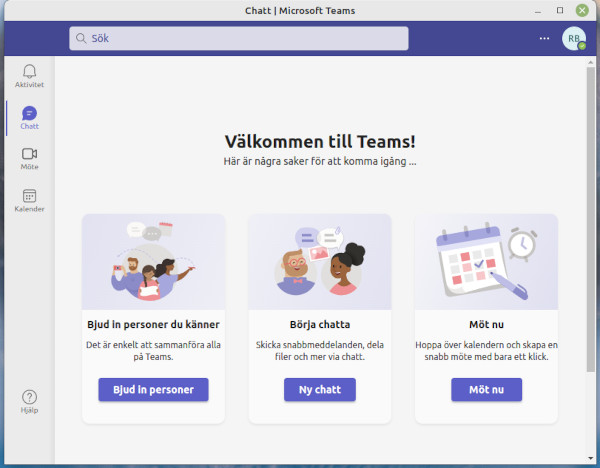
Using Electron, someone has built an unofficial Teams app for Linux. But it works like a charm and it is possible to get from the software manager app within at least Linux Mint. There is also an official Teams app but it seems like that only works with a business plan and to be honest, most of us do not want to pay for it.
Discord for Linux

While Discord isn’t as common as Slack or Teams, it’s up there as one of the apps employees use as a tool for connection. Again, it can be found in the software manager.
Skype for Linux

This one, too, can be found in the software manager. It’s not as polished as the Windows counterpart but it fills its function and I, for one, actually think the quality of sound is better in the Linux version.
Notes on Linux

If you’re anything like me, you have a million ideas and things to keep track of and I do love a good stack of Post Its but when they’re everywhere, it starts to be a bit counterproductive. Enter Notes; this little gem is actually domestic to my Mint install and doesn’t need to be found somewhere. It’s super for a mind like mine, to be able to just quickly write down an idea or thought that I want to save for later. I also use Google Keep as a plugin in Chrome, for when I need a note to be accessible when I am not in front of the computer. I also use Keep as my go to app when I write shopping lists for groceries… 🙂
Desktop
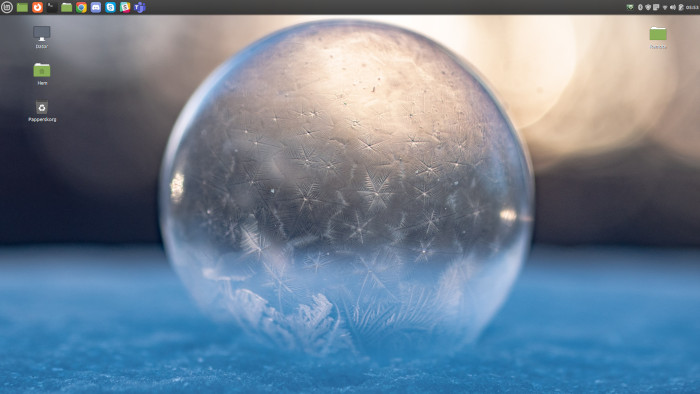
Something that really stresses me out is a cluttered desktop, with links to websites and apps all over the place. I can’t do that, so just a small hint to how my desktop usually looks in the picture above this text. In the upper left you see all the shortcuts to the software I just went through, except for the Notes, wich you can see running in the background on the upper right, middle of the row.
Hubspot, Jira, Asana, Trello and others

These are cloudbased services and run perfectly fine in your browser.


 The Roine Playground
Lämna en kommentar